This change takes effect starting with release 11.15.
This change introduces a new precedence model and a one-time migration. Existing projects are migrated automatically, but we strongly recommend validating the result in a CI/CD-managed environment before promotion. The migration removes only duplicated, system-generated entries and preserves explicit user overrides.
For configuration management and externalization, WaveMaker applications use profile.properties to store configuration as key–value pairs. This allows the same WAR (build artifact) to move across environments without rebuilding, with values supplied via environment variables, bundled files, or by building profile-specific WARs (QA, production etc.) using a selected build profile (for example, mvn clean install -Pproduction).
As projects grow, it’s normal for configuration to end up in a few different places (service configs, profile files, etc.). That flexibility has helped teams move fast, but it also meant that the same value could appear in more than one place. Over time, it became harder to tell which values were defaults and which were intentional environment-specific changes.
Old Behavior: REST Service Property Management
Previously, REST service properties could be defined in multiple places to support flexibility across environments.
- In Service JSON
- host = maps.googleapis.com
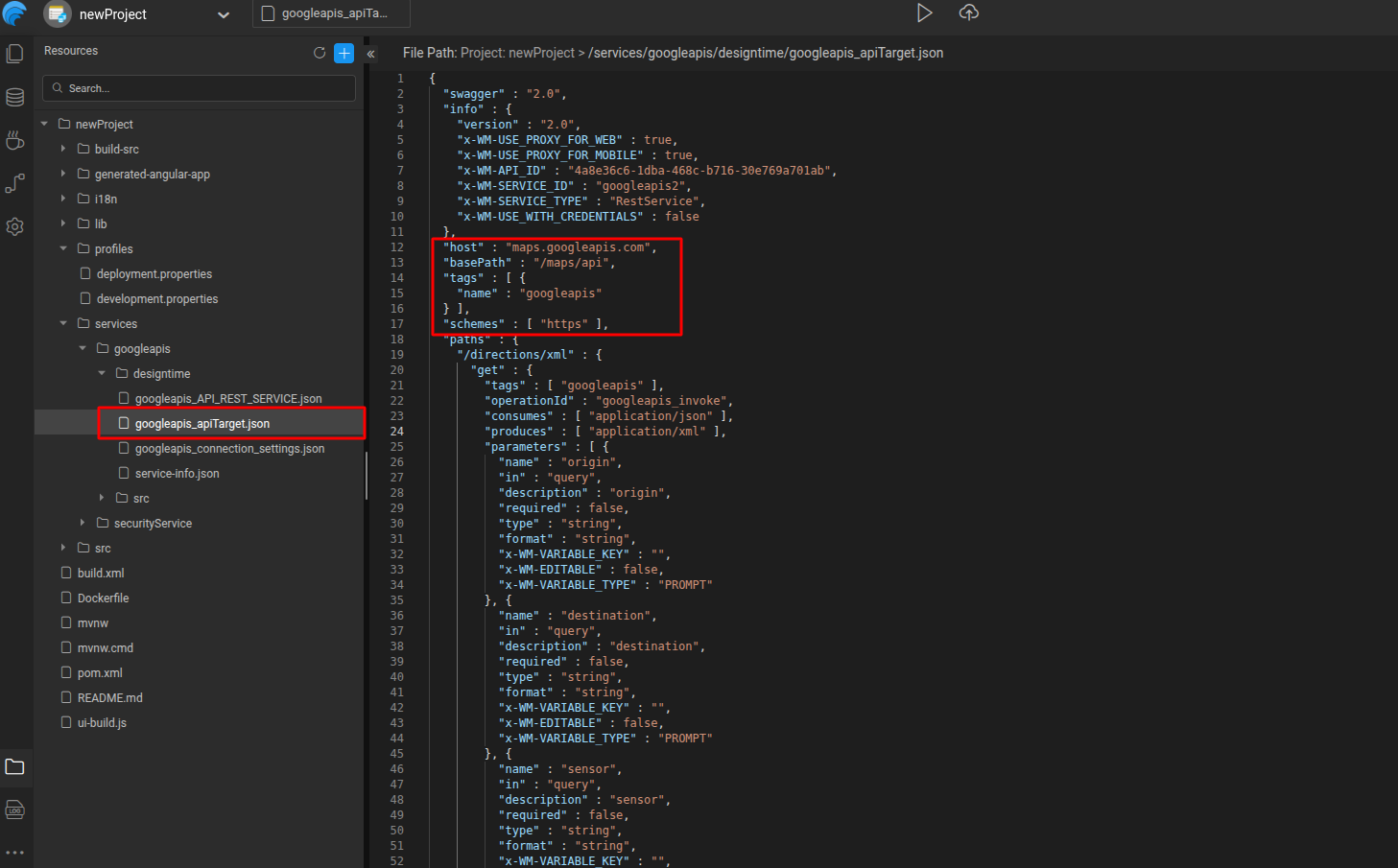
- host = maps.googleapis.com
- In serviceName.properties
- rest.googleapis.host = ${rest.googleapis.host}
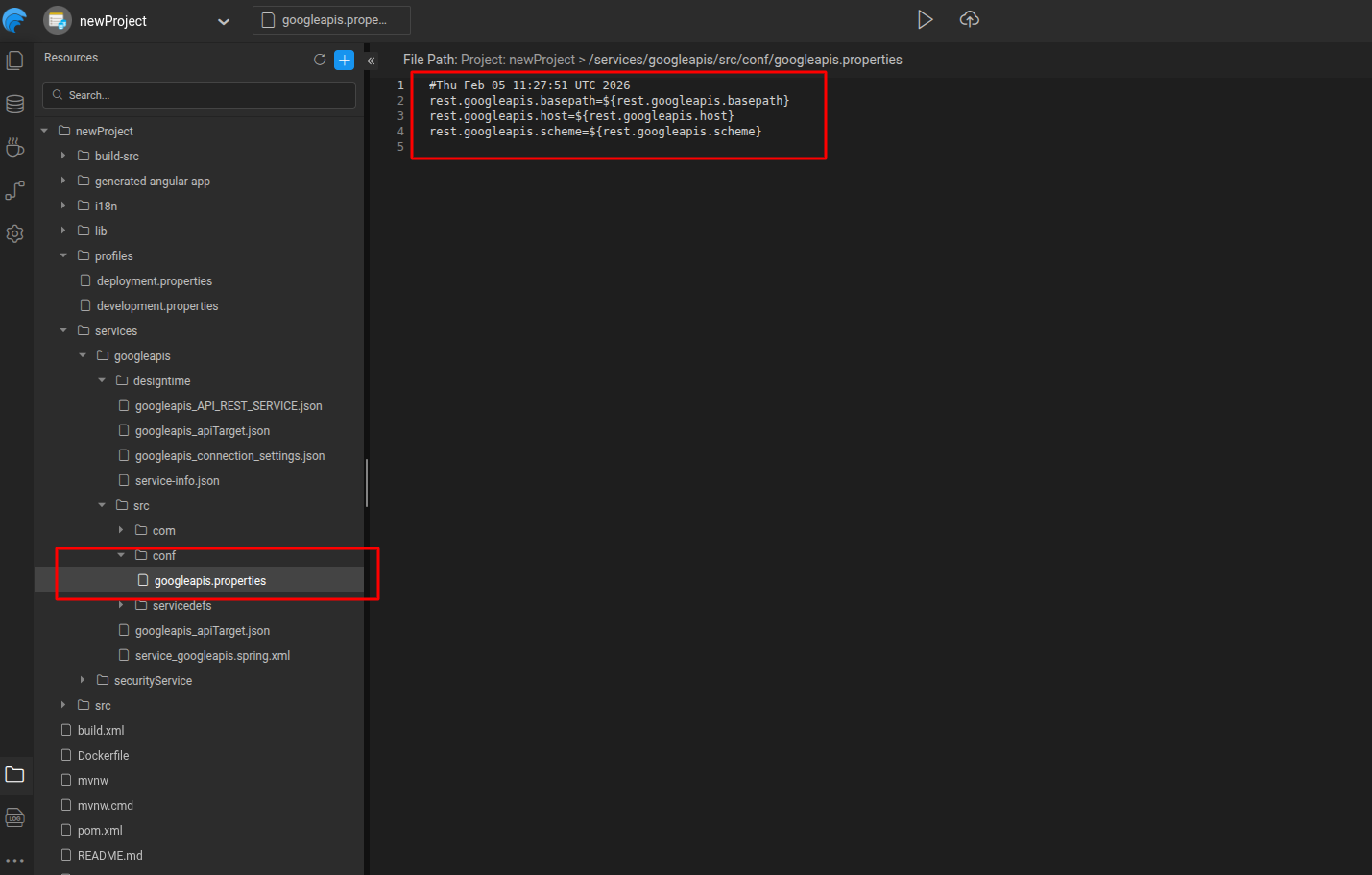
- In all profile.properties
- rest.googleapis.host=maps.googleapis.com
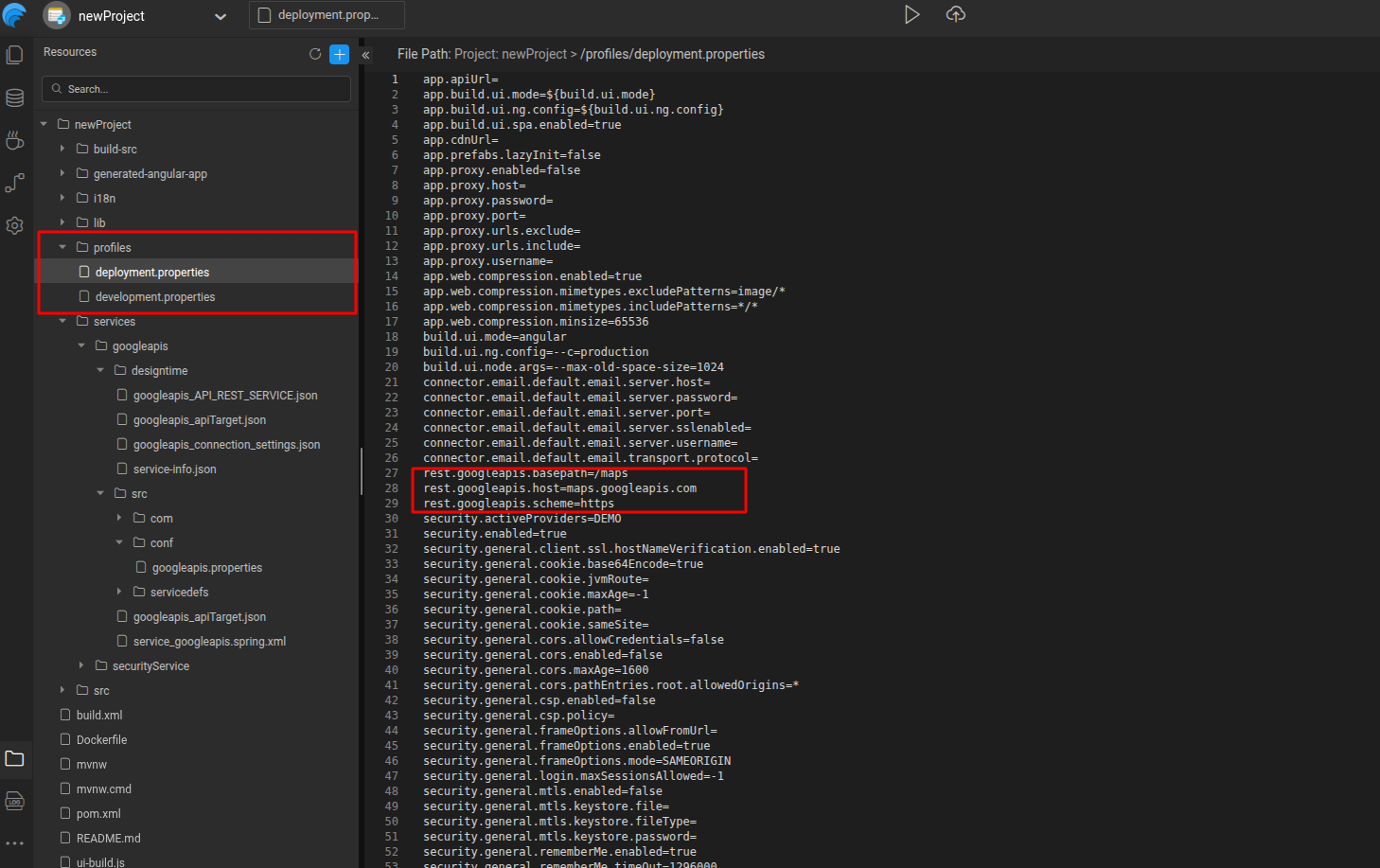
This approach made it easy to run the same service across different environments. As a result, profile files typically contained a full set of service properties, even when most values matched the defaults.
If a user updates rest.googleapis.host in one profile using the design canvas:
- the system cannot tell if this is an intentional override
- or if the service default itself has changed
- or if the change should apply to other profiles
Understanding the effective value of a property therefore required checking multiple locations.
Solution Overview
The solution introduces a Single Source of Truth (SSOT) and a strict separation between defaults and overrides.
Core Principles
- Each property has one authoritative default location
- Profiles contain only explicit user overrides
- Defaults are never copied into profiles automatically
- The effective value of a property is always easy to locate
New Behavior: REST Service Property Management
With the updated model, REST service properties follow a much simpler and clearer approach. Using the same REST service example:
- The default value
- host=maps.googleapis.com
- exists only in the Service JSON
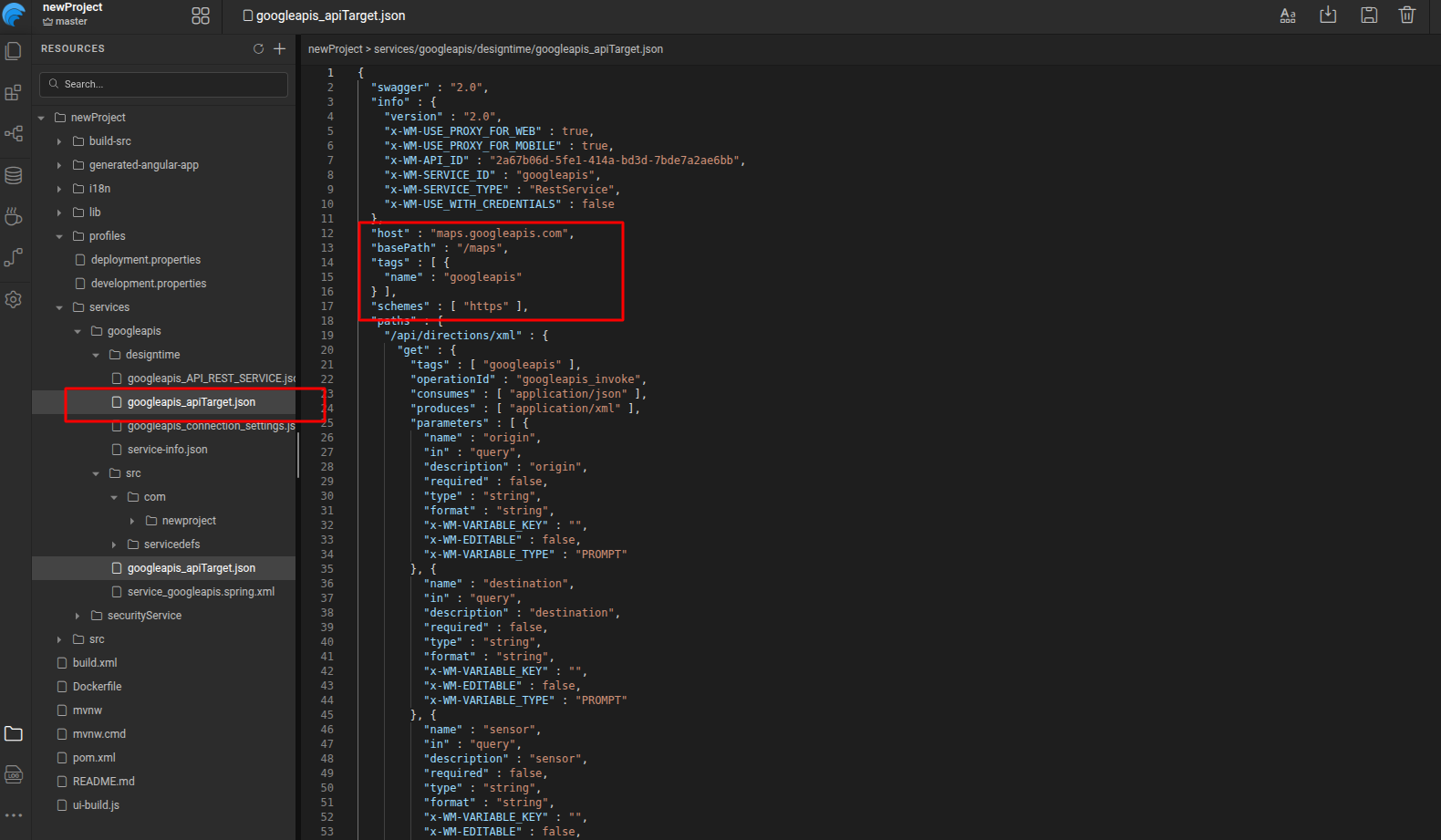
- conf/serviceName.properties files are removed entirely
- profile.properties contains this property only if a user explicitly overrides it
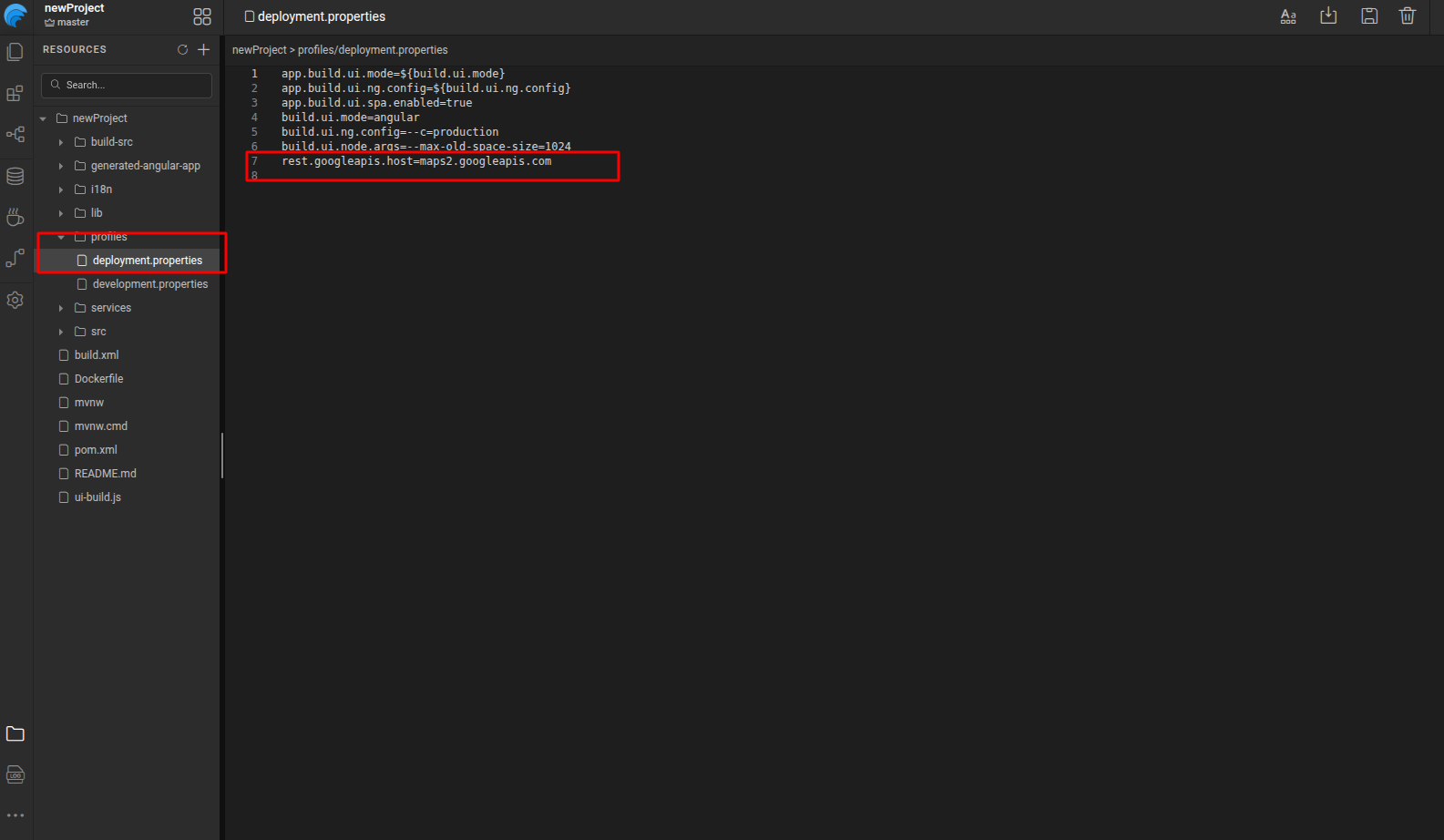
Result:
- If the property is not overridden, the service default is used
- If the property is overridden, the intent is explicit and localized to that profile
- Profile files remain clean, readable, and easy to maintain
- It is always clear whether a value is a default or a user change
Profile Packaging and Environment-Agnostic Runtime
To support both single-artifact deployments and profile-specific behavior, the build can package configuration for multiple profiles in a controlled way.
Profile Packaging:
- packAllProfiles (default: true) packages configuration for all profiles.
(eg., mvn clean install -DpackAllProfiles=true)
- application-profile.yaml is generated for each profile.
- application.yaml is generated using the selected build profile.
- If no build profile is specified, application.yaml is generated using deployment profile.
This allows the same build artifact to be deployed across dev, QA, and prod without rebuilding, while still supporting profile-specific configuration when required.
Runtime Profile Selection (Tomcat):
- The active profile is selected at runtime using:
-Dspring.profiles.active=<profile>
- If set, the application loads
application-<profile>.yaml. - If not set,
application.yamlis loaded by default.
Configuration Default Values and Override Methods: Where They Live
The same REST model applies consistently across all configuration types. Each property category has one clear default location, and profiles are used only for overrides.
Application Properties
- Default values are defined in
app.properties.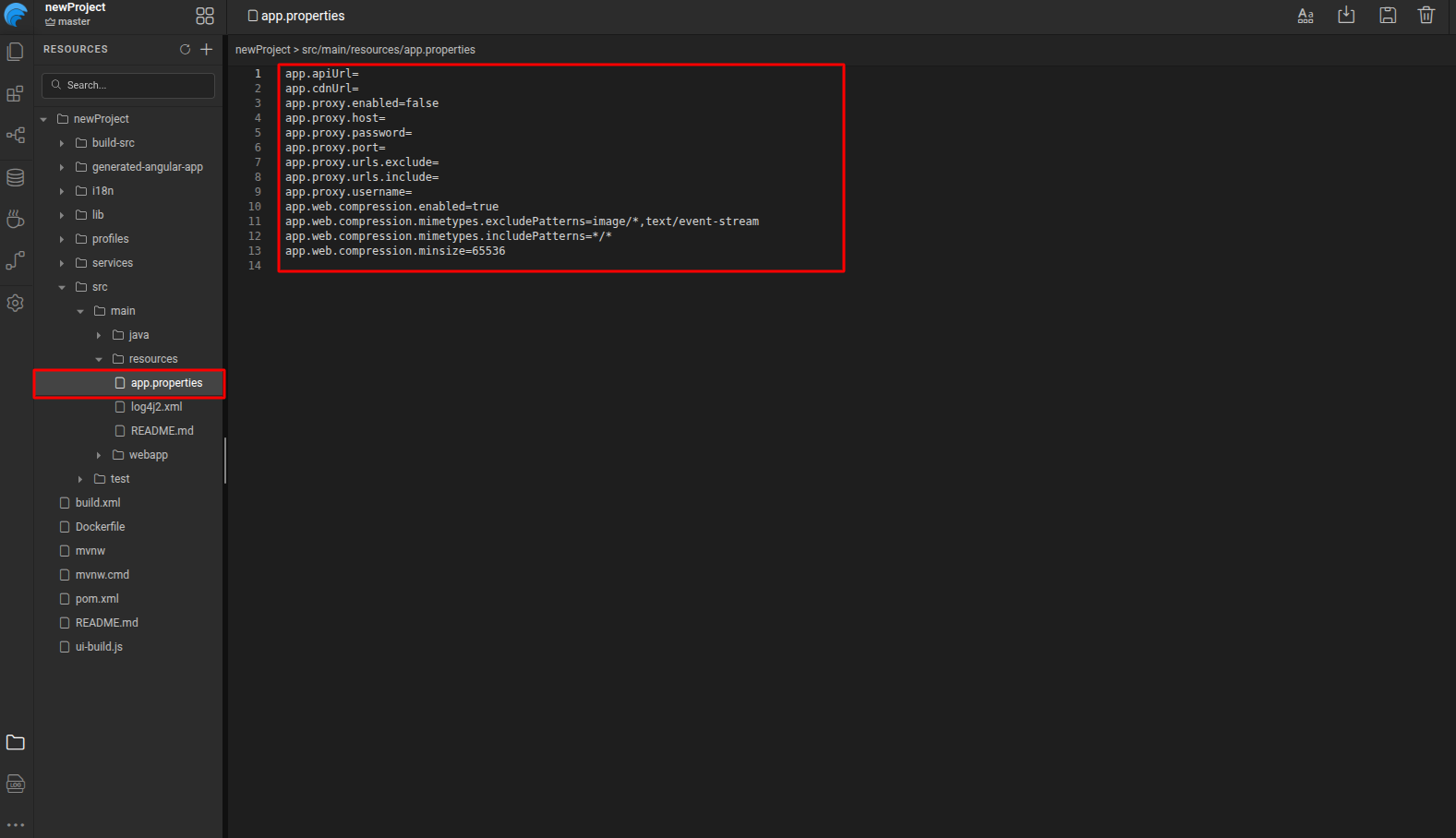
Security Configuration
- Defaults live within their own service JSONs:
auth-info.json, general-options.json, roles.json, intercept-urls.json
Service Properties
- Service defaults are defined in service-specific configuration JSON files based on the type of service:
- REST / OpenAPI / WebSocket:
<serviceName>_apiTarget.json - Database Services:
db-connection-settings.json - Auth Services:
oauth-providers.json - SOAP Services:
<serviceName>.settings.json
- REST / OpenAPI / WebSocket:
Prefab Configuration
- Defaults are defined within their owning component (for example,
prefab-properties.yaml)
Connector Properties
- Defaults are defined in connector-externizable.properties
Profiles
- profile.properties contains overrides only when a user explicitly changes a value. If a value is not present in profile.properties, it always comes from the owning component’s default file.
Final Thoughts
This refactoring establishes a clear Single Source of Truth for all configuration types, strictly separates defaults from overrides, and eliminates duplication across profiles.
The result is predictable configuration behavior, clean profiles, safe component updates, and a fully immutable, environment-agnostic deployment artifact.